Software and applications are not synonymous terms that people use in their daily conversations. This misunderstanding has never been as critical as it is now due to the high reliance of modern businesses and individuals on digital tools. In reality, 85% of companies utilize software applications to conduct their daily operations, and global software expenditure was approximately $675 billion in 2024, with projections indicating it will be even higher by 2028.
This knowledge can help you make the right choice in using tools, communicate more effectively with developers, and make a smarter technology choice. Here, you will understand what software and applications actually entail, how they are related to each other, and what the various types of system and application programs are in simple and practical terms.
What is Software?
Software refers to a group of programs and instructions that inform a computer how to do things. A simple example of hardware and software is that the physical machine is the hardware, and the intelligence is the software. This concept is necessary in understanding the software vs application debate since applications are literally a section of software.
Software is of three major types:
- System Software – It handles hardware and core functionality. Some of the examples include operating systems such as Windows and Linux, and also device drivers, which enable printers, keyboards, and graphics cards to work.
- Application Software – Software created to be used by the end-users to execute a certain task, such as a browser, spreadsheet, or design tool.
- Middlewares – It is an intermediary between the applications and system programs that assists the various programs and exchanges data.
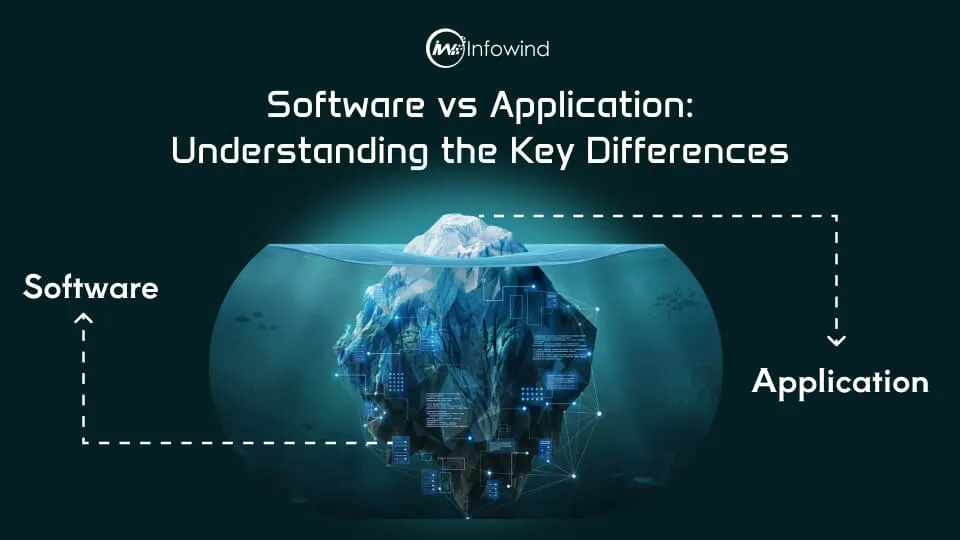
A computing ecosystem is based on software. Hardware cannot run, applications cannot run, and users cannot interact with the digital systems without it. This wider role would explain the distinction between software and applications. The software is the whole environment, whereas applications run in it.
Also Read: Suggested First Step for Entering Software Development
What is an Application?
An application (or app) is software that has been written and configured to accommodate end-users to complete a specific task. Applications are also unlike system software, written to run the computer itself; they focus on the user’s functionality: writing documents, sending messages, editing images, and attending meetings. This is what is at the heart of the software and application distinction: all applications are software, but not all software is an application.
Applications are programs superimposed on the operating system, which utilise resources provided by the operating system to provide useful value. The typical ones are Microsoft Word to write documents, Instagram to communicate with friends, and Zoom to have a video conference. Both of them have a definite, user-oriented purpose and not hardware management.
The applications may be classified according to their access:
- Desktop applications – Installed on the computer (e.g., MS Word)
- Web apps run in a browser (e.g., Google Docs)
- Mobile apps – Smartphone apps (e.g., Instagram).
Knowledge of this structure can be used to explain what is meant by software and applications; applications are tools developed to be used by the user, whereas software comprises the tools as well as the underlying system.
Also Read: Exploring The Concept Of Single-Page Applications

Key Differences Between Software and Application
| Basis | Software | Application |
| Definition | A complete set of programs that manage computer operations and resources | A program designed to help users perform specific tasks |
| Scope | A broad category that includes system software, middleware, and applications | A subset of software focused on user functionality |
| Purpose | Runs and controls the computer environment | Solves a particular user problem or need |
| User Interaction | Often works in the background with limited direct interaction | Directly interacted with by end-users |
| Dependency | Can operate independently at the system level | Always depends on system software to function |
| Examples | Windows OS, Linux, device drivers, and antivirus software | MS Word, Instagram, Zoom, web browsers |
| Technical Role | Manages hardware and provides a platform for other programs | Uses that platform to deliver specific services |
| Installation Requirement | Essential for a computer to operate | Optional — installed based on user needs |
Also Read: Software Maintenance vs Software Support: Key Differences Explained
Where Do They Overlap?
The misunderstandings surrounding the software vs application debate are due to the fact that applications are technically a form of software. That is, all applications are software; however, software is a much larger idea. And it can best be described as a mere analogy: all apples are fruits, but not all fruits are apples. Likewise, any application falls under the software category, and a large number of software programs are no longer applications.
Software encompasses the whole computing environment: operating system, device drivers, firmware, and background services that ensure a system is running. On the other hand, applications are placed on top of that environment, and they depend on that environment to operate. Indicatively, the operating system is running in the background to allow the program to work, e.g., in the case of Zoom or Microsoft Word, when you open it, the operating system communicates with the hardware, provides memory, processing power, access to storage, and communication.
This relationship will help one to know the distinction between software and applications in a real-world situation. It is applications that users interface with,h yet system software is what they rarely view. An IT and business approach to this difference is to understand the difference to facilitate troubleshooting, buy equipment, and communicate needs perfectly, particularly to developers, vendors, or technical departments.
Real-World Contexts & Misunderstandings
In the case of real business environments, the difference in software and applications is commonly not understood, and the misunderstanding has costly consequences. Most companies post that they are looking to hire a software developer when they are actually seeking an application developer, or they go out and buy an enterprise software, only to be presented with a platform that requires further customisation. Such minor wording differences have the potential to slow down projects, bloat budgets, and cause a lack of match in the expectations of the stakeholders and the technical teams.
It is particularly where clarity is important in project management. As an example, the system-level choices to make to build an accounting platform include database architecture, integrations, and security policies (software engineering), whereas the application development includes building the user dashboard or reporting interface. The combination of such functions may lead to undeveloped scope and flawed schedules.
The knowledge of software vs application is also beneficial to the choice of technology. The company that adopts CRM software should determine whether to adopt a full-fleet software system (own platform) or a ready application such as Salesforce or HubSpot. The same applies when hiring:
- A software engineer develops software infrastructure, backend systems, and APIs.
- An application developer develops interfaces and features used by people.
Once properly deployed by the decision-makers, communication will become easier, discussions with vendors will be more accurate, risks of implementation will be greatly reduced, and eventually, the technical investments will become smarter, and the project execution will become smoother.
Also Read: Why mobile applications are beneficial for your business?
Expert Insight
The use of the term software is always different from the understanding of trusted technical sources when contrasting between software and applications as a general computing framework and as a tool for users, respectively. As an example, the developer documentation of Microsoft defines an operating system as software that uses hardware resources and offers services to programs, and user programs use those services to operate. This is in line with the general academic definitions applicable in computer science degrees.
Software is often taught and printed in textbooks as a set of programs, procedures, and other documentation related to the functioning of a computer system, but an application program is defined as software that is used to handle a particular task for the user, such as word processing, communications, or data analysis. These formal definitions strengthen the practical distinction between the software and application stated above.
This separation is also manifested in the real-world practice in the form of developer communities and professional forums. Engravers often define operating systems, compilers, and drivers as system software and tools such as browsers, communication programs, or design programs as applications. The distinction assists teams in communicating architecture choices well, such as whether the team is constructing infrastructure or end-user features.
It is possible to have an integration of academic definitions with industry usage to clear up the software vs application concept: software constitutes the operating environment, and applications provide direct user value on top of the environment.

Conclusion
The distinction between software and application is not only a technical aspect of knowledge but also enhances effective communication, planning, and decision-making. Software is the entire computing environment, that is, operating systems and background services, whereas applications are those user-oriented tools that are developed in the computing environment to accomplish certain tasks. This understanding of the difference between the two aids in businesses selecting the appropriate solutions, scope definition, and a better association with the technical teams.
Employing the right terminology also avoids expensive confusion during the recruitment of developers, buying tools, or communicating the requirements. Understandable language translates to more understandable expectations – and results in the end.
In case you cannot understand whether you would need to have a full software developed or even a custom application done, then the team of Infowind Technologies can assist you in analysing the correct strategy depending on your objectives and technical specifications. Got questions or need a hand? Reach out and let’s talk about what you need. We will be glad to clarify and offer practical advice to fit your project.